
Create Your Account
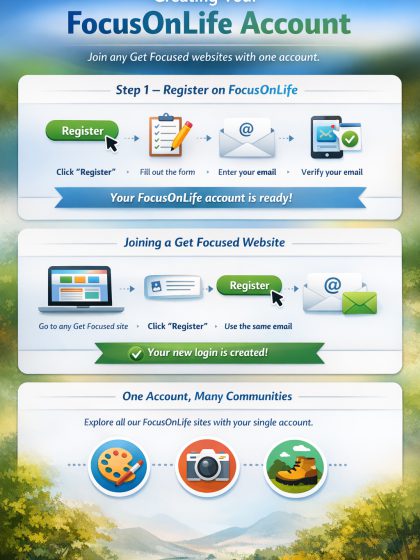
Creating Your FocusOnLife Account
To participate in any FocusOnLife Get Focused website, you first need to create a FocusOnLife account.
Step 1 — Register on FocusOnLife
-
Click Register in the navigation bar.
-
Complete the registration form.
-
Enter a valid email address.
-
This will become your master email address for all FocusOnLife websites.
-
-
In the Membership Plan field, select:
Charter Membership Free for new members -
Click Submit.
After submitting the form, you will receive a verification email. Follow the instructions in that email to activate your account.
Once your email is verified, your FocusOnLife account is ready to use.
Joining a Get Focused Website
Once your FocusOnLife account is active, you can join any Get Focused website.
-
Go to the website you want to join.
-
Click Register.
-
Enter the same master email address you used when registering on FocusOnLife.
-
Complete the form and click Submit.
The system will automatically create your login for that website.
One Account, Many Communities
Your FocusOnLife account allows you to participate in multiple FocusOnLife community websites. Simply register on any site that interests you and start sharing.
Posted in resources by Uber Admin