
Menus
Menus are the foundation of your TFOL experience. Think of them as the structural framework that organizes how your stories are grouped, displayed, and explored.
When creating a new account, Menus should be the very first thing you plan. A well-designed menu structure makes everything else—stories, grids, and navigation—flow naturally.
What is a Menu?
A Menu defines a category or collection of stories. Each menu controls how its content is presented to viewers, including how items are sorted and discovered.
Accessing Menus
Menus are managed from the Admin area in TFOL.
- Log-in
- Click Admin on the nav-barFrom the Admin menu, you can:
- View existing menus
- Add a new menu
- Edit or delete menus
The Menus page displays all available menus and allows quick access to editing.
Adding or Editing a Menu
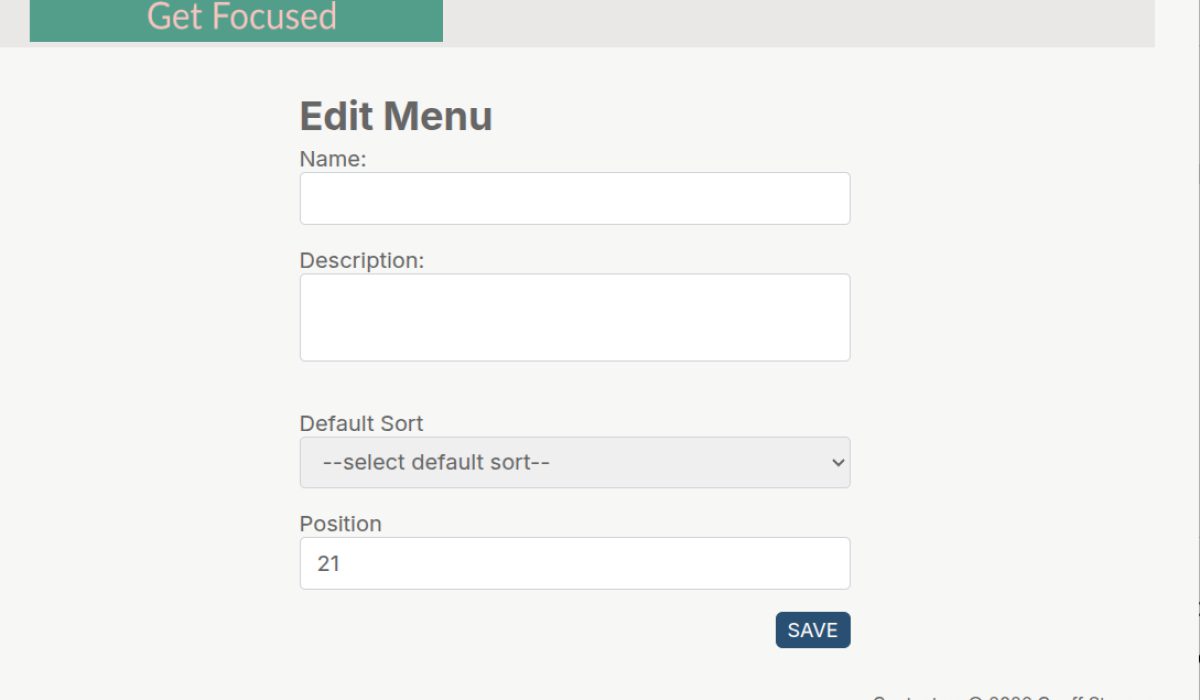
Selecting Add or Edit opens the Menu form where you define how your content is organized and displayed.
Use this form to:
- Name your menu
- Describe its purpose
- Control how content is sorted
Set where the menu appears
Menu Fields Explained
When creating or editing a menu, you’ll see the following fields:
Name
The title of your menu.
This is what users will recognize when browsing your content.
Description
A short explanation of what the menu contains.
Use this to give context or set expectations for the viewer.
The Default Sort determines how your content is presented the moment a user selects a menu. This has a major impact on user experience.
Available Options:
- Random
- Displays content in a different order every time.
- Ideal for discovery and variety.
- Works especially well with “Guest” or “Refresh” actions to generate a new experience.
- Newest
- Shows the most recently added stories first.
- Best for dynamic content that is frequently updated.
- Oldest
- Displays content in chronological order from beginning to end.
- Perfect for storytelling, tutorials, or step-by-step journeys.
- Alpha A–Z
- Sorts content alphabetically.
- Useful for structured or reference-based collections.
- Alpha Z–A
- Reverse alphabetical order.
- Less common, but useful in specific organizational cases.
Position
Determines where the menu appears relative to others.
Choosing the Right Sort Strategy
Your choice of sort defines how users experience your content:
- Use Random for exploration and engagement
- Use Newest for freshness and updates
- Use Oldest for storytelling and progression
- Use Alphabetical for clarity and reference
Best Practices
- Plan your menus before adding content
- Keep menu names clear and intuitive
- Use descriptions to guide users
- Choose a sort method that matches your content’s purpose
- Avoid overcomplicating with too many menus early on
Final Thought
Menus aren’t just categories—they shape how your audience experiences everything you create. A thoughtful menu structure turns a collection of content into a meaningful, navigable system.
Posted in resources by Uber Admin